
RekordBoxer
Batch-edit cue points, colors and tags across your entire Rekordbox library. Build reusable actions, run them on hundreds of tracks in one click, and keep your collection consistent.
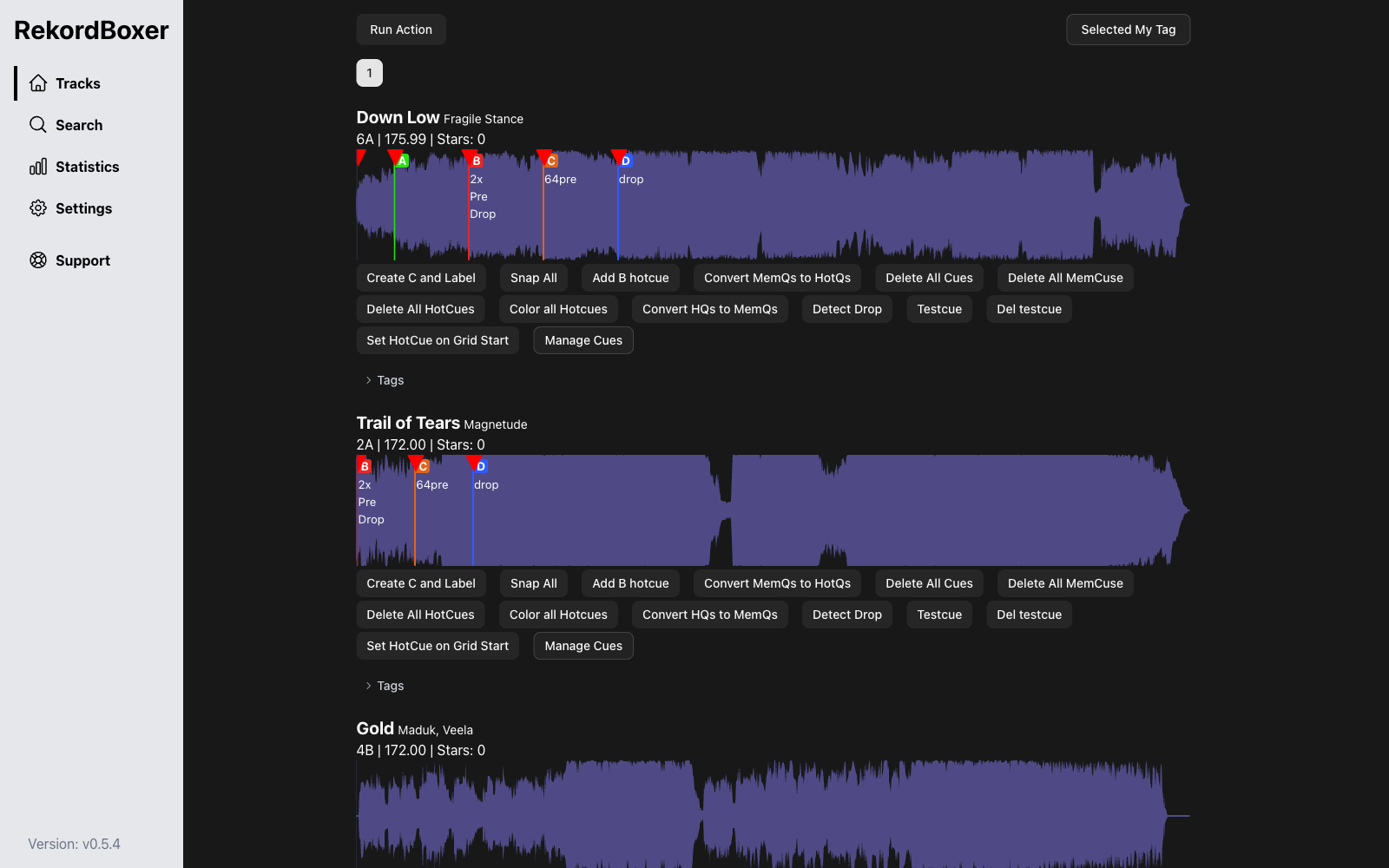
RekordBoxer in 30 Seconds
Actions, batch mode, statistics and the built-in MCP server
What RekordBoxer Can Do
Works directly with your Rekordbox database · macOS (Apple Silicon & Intel) · Windows
Cue Automation Actions
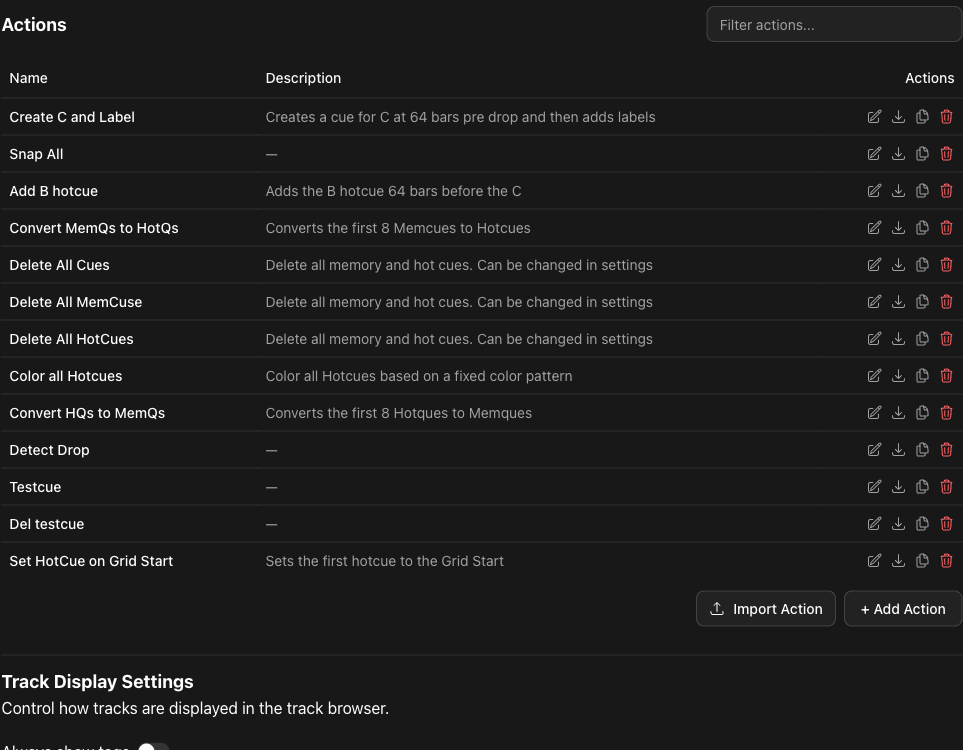
Build multi-step actions that add, move, color and convert cues — then run them on a playlist or your whole collection. Share them as .rboxaction files.
Waveform Track Browser
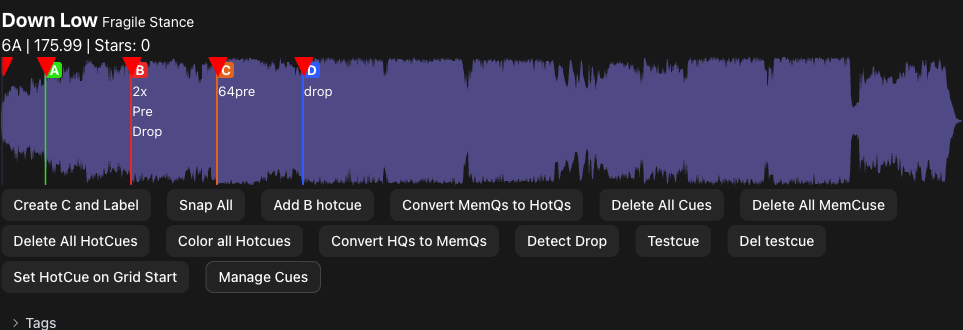
See every track's waveform with colored cue markers, key, BPM and rating at a glance — with built-in playback.
Precise Cue Management
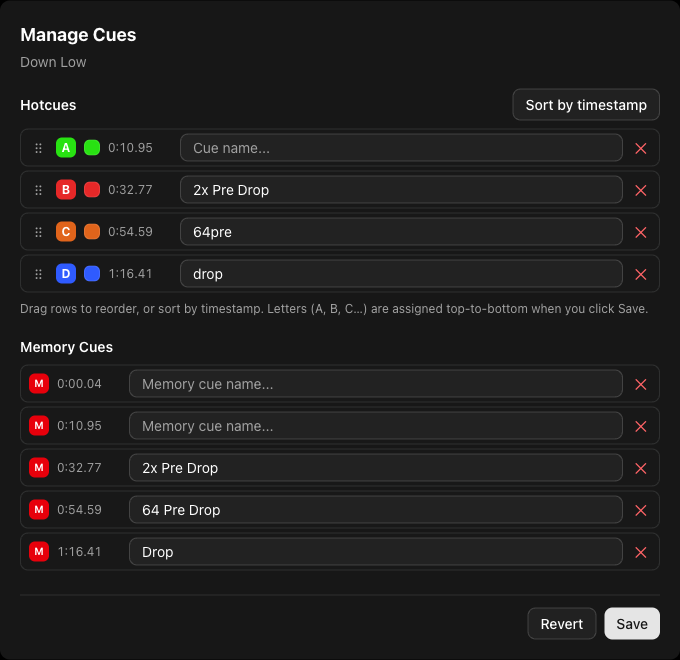
Rename, reorder, recolor and convert hot and memory cues in a dedicated editor — or right-click any cue directly on the waveform.
Batch Tags, Colors & Stars
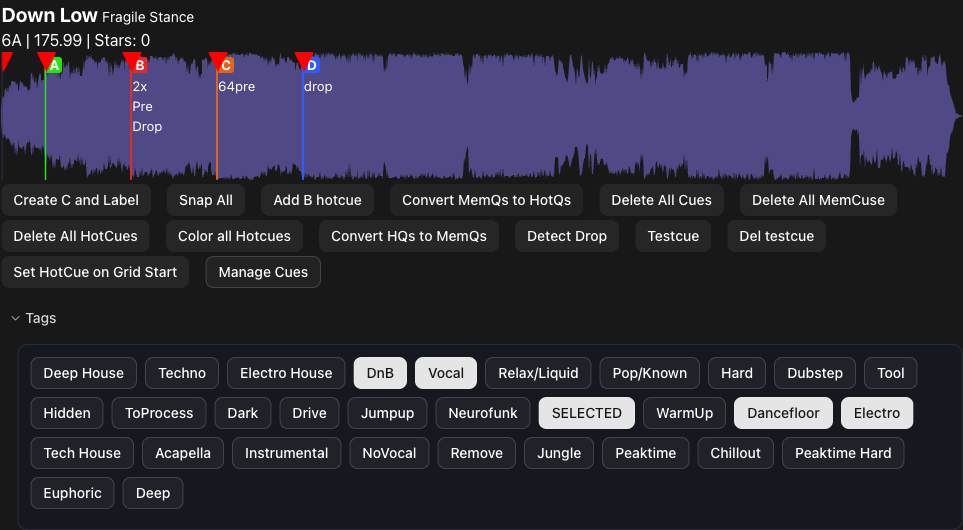
Apply MyTags, track colors, ratings and cue labels to hundreds of tracks at once — converting hot cues to memory cues and back included.
Library Statistics
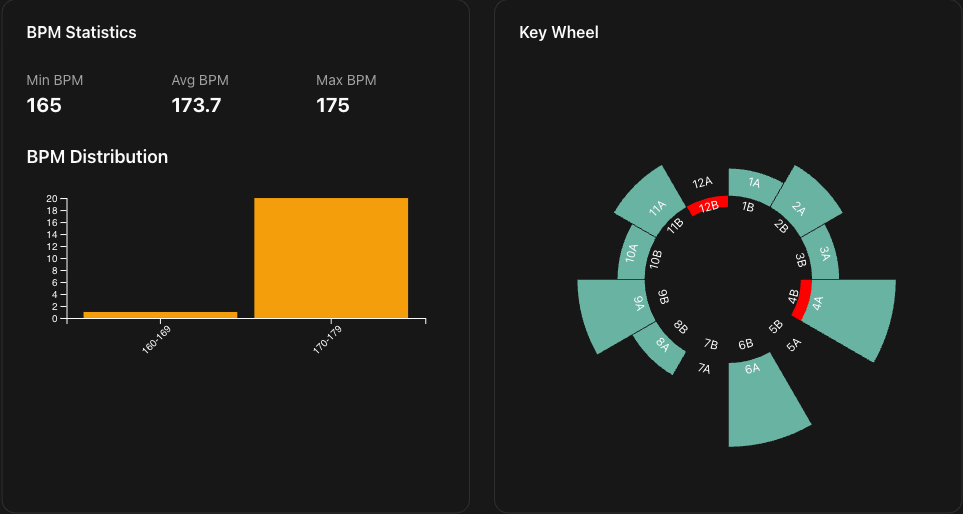
Understand your collection: genre and BPM distributions, a Camelot key wheel, ratings and play counts.
OBS Now-Playing Overlay
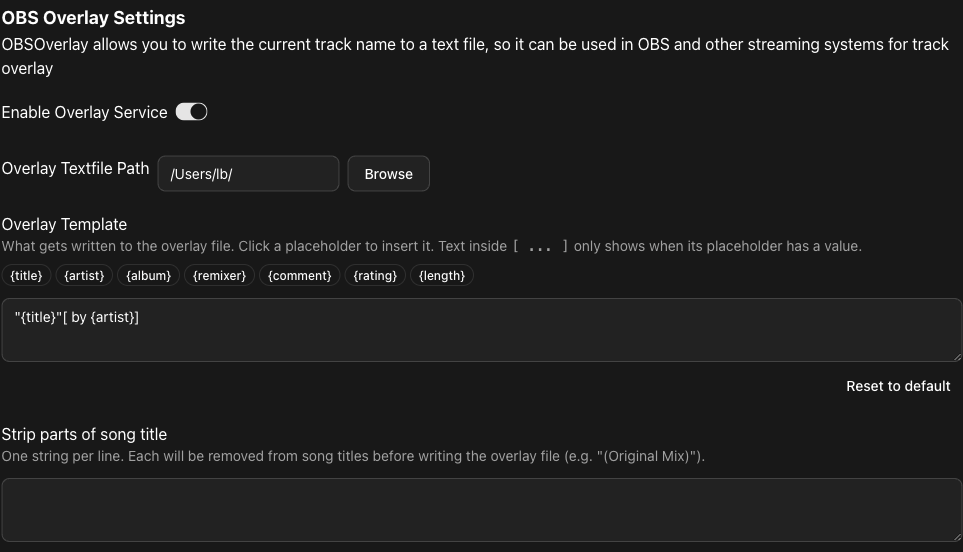
Streaming your sets? Show the currently playing track in OBS with a fully customizable overlay template — updated live while you play.